
Apps · Web · Systems · Servers

From the phone in your hand to the server behind it.

ZroIT designs, builds and runs mobile apps, web platforms and the systems behind them, for internet providers, offices, agencies and shops.

Works in US hours.

Made here

Three apps, built in-house and used every day.

Each one goes deeper than a usual app: its own protocols, its own security, its own tests.

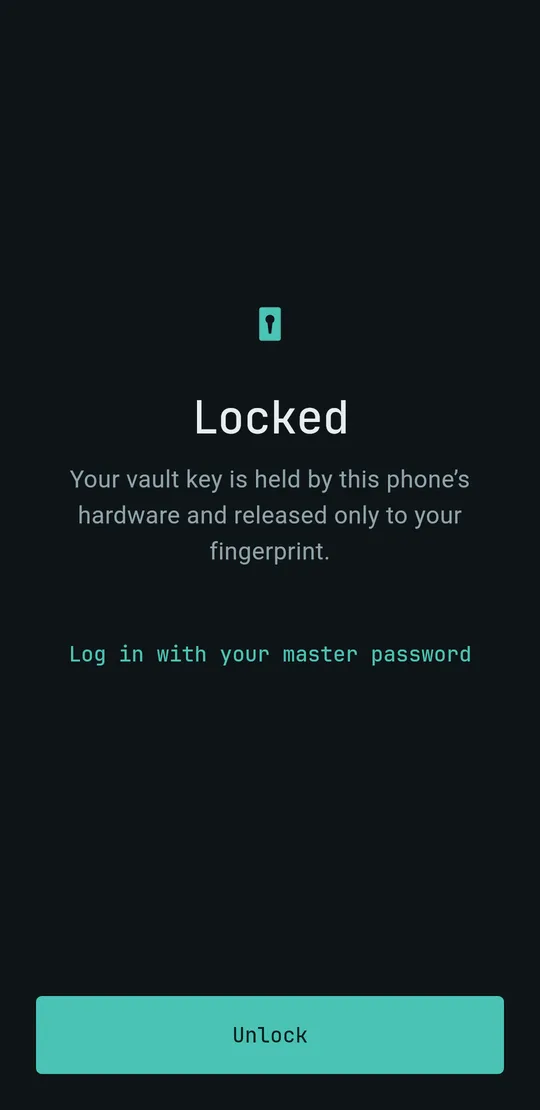
Terus lock screen: the vault opens only to your fingerprint
Terus app iconTerusDaily use

SSH that survives anything.

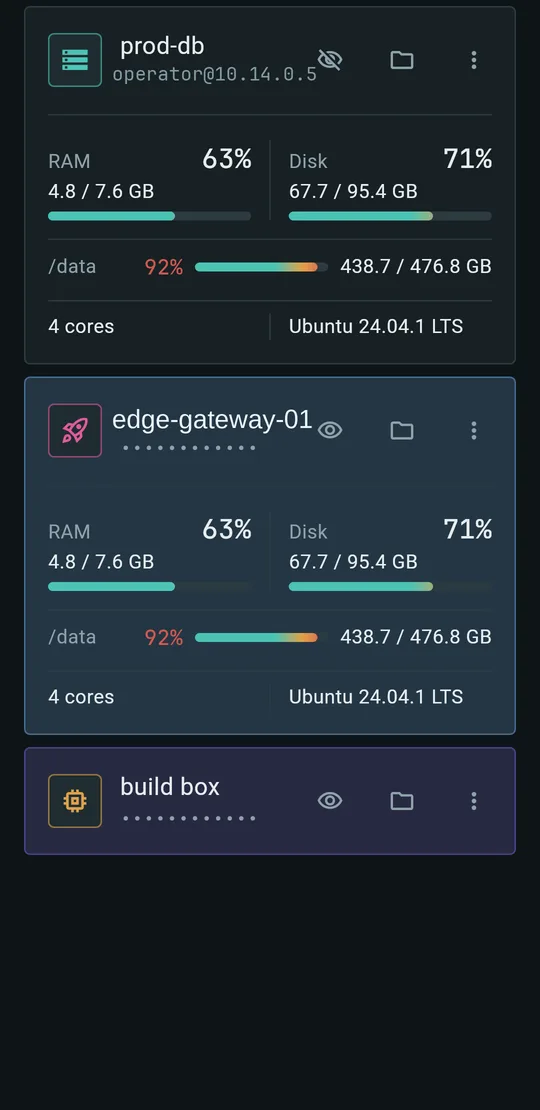
A terminal for your servers with a zero-knowledge vault. Keys live in the phone's hardware, sessions come back after a dropped network, and risky agent commands are stopped before they run.

2,700+ testsPost-quantum readyComing to Google Play
See Terus
QUEMR app iconQUEMRComing soon

Your phone, inside the headset.

Mirror and fully control an Android phone from a Meta Quest 3 over local Wi-Fi. On a Samsung phone the big screen opens a full DeX desktop. Nothing to install on the phone.

330 testsTested on multiple phonesComing to the Meta Store
See QUEMR
LIVEVolume lowered
TelvoComing soon

Your TV, cleaned up from your phone.

Turn off the clutter, set a new home screen and use the phone as the remote, with the door camera on screen when someone arrives. No computer, no terminal: just the phone.

Just the phoneRemote and door cameraSmart TV
See Telvo
Solutions

Your business, as software.

Solutions shaped for each kind of business, put together from parts that already run for real teams. Every one comes with its web side and its apps. Client names and real screens stay private; the screens here are drawn.

One workspace instead of four tools.

For an agency or office that ran on a chat app, a spreadsheet, a project tracker and email. Now the team, the clients and the money live in one system, with one login and one set of permissions.

WebTeam workspaceClient portal
MobileStaff appClient app
BrowserWork tracker
In daily use by a teamAbout 1,400 testsWeb, Android, extension
One core, a system of your ownEach business gets its own system on the same core: the parts it needs are switched on, and its data stays its own.
Attendance on Wi-Fi
Work tracker
Projects and tasks
Chat and calls
Client portal
Invoices and ledger
Payroll
Documents and vault
AI assistant
Store front
Orders and stock
Customers
Subscriber app
Reseller app
Control panel
Billing and payments
Tickets and support
Outage alerts
Log server

Client names and real screens are never shown.

Inside the office platform

Two ideas that came from watching a real office work.

A work tracker that lives in the browser.

8m 10sactive of 10 minutes
  • Nothing to install: a browser extension records ten-minute blocks of active and idle time.
  • Screenshots at random moments, each one announced, each one deletable by its owner.
  • Never records keys or typed text. Each person is compared with their own usual, never with others.

Attendance proven on the office Wi-Fi.

An unknown network is flagged for HR, never blocked.
  • Check-in counts on the office network, proven by the router the phone sees.
  • A browser cannot see Wi-Fi, so a laptop check-in asks the person's phone to answer.
  • No phone at hand? A code on the office screen that keeps changing.
Lab

Ideas, turned into working apps.

Each one began as a problem in someone's day and became an app that solves it.

01 · Phone as control room

A headless machine, run from a phone.

Switch a remote box on and off, watch its screen, move files and start jobs, through a tunnel locked to a key that never leaves the phone's hardware.

02 · AI where you type

An AI bubble beside any keyboard.

Fix, translate or change the tone of what you type, in any app, with one tap and an undo. No server in between; keys stay encrypted on the phone.

Servers

Shipped, then kept running.

  • Ubuntu, day to dayServers set up, updated and run with Docker and a deploy panel.
  • Locked downFirewalls, allowlists and rate limits.
  • Backups that restoreEncrypted, off-site, and test-restored, not just written.
  • Watched, and written upMonitoring, and a written note after an incident: what happened and what changed.
How a project runs

From a first call to software that runs itself.

01A call about how you workYour team, your tools today, and what slows you down.
02A written planWhat gets built, in what order.
03Built with testsWorking pieces to try along the way.
04Shipped and kept runningDeployed, monitored, backed up and handed over.

What should your business run on?

Tell ZroIT about the work. You get a clear answer on what to build first.

connect@zroit.com